
L-Tron is pleased to announce the release of OSCR360 Software Update v.2026.202.0. This desktop software update is live and available to all OSCR360 users with an active software support plan.
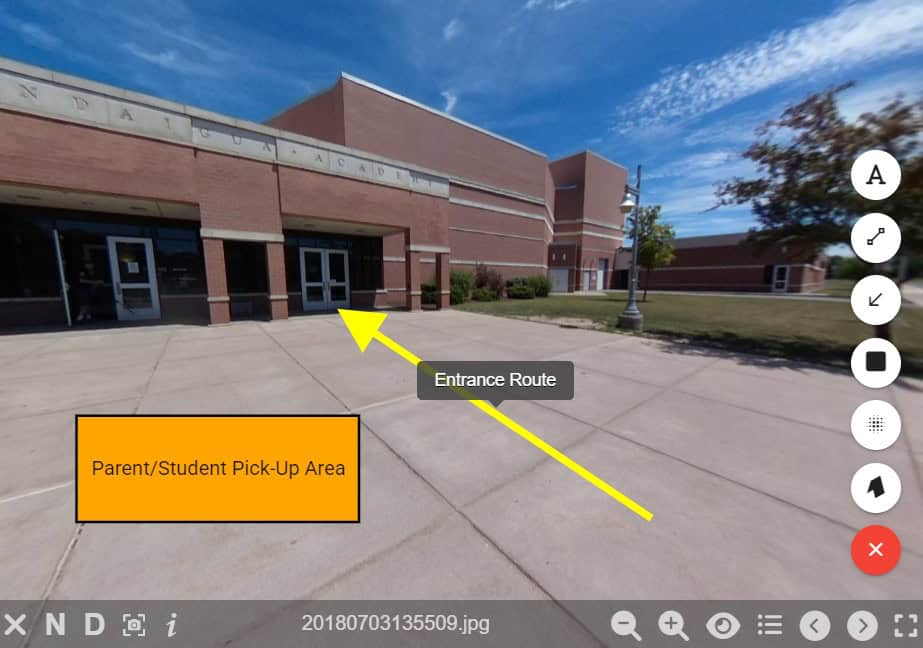
The latest version of the OSCR360 desktop software adds several new features, a highlight being the ability to annotate and blur 360 images. This will give users the ability to add shapes and marks directly to their 360-degree images.
Check out this in-depth list of new features and improvements:
360-Degree Photo Annotations
- New drawing tools: Add lines, arrows, rectangles and text boxes.
- New blur tools: Apply blur effects to redact sensitive information.
- Customizable colors, line thickness and transparency for all annotations.
- Add titles to any annotations.
- Easy editing of annotations: reposition, rotate or delete.
- Layering support to add annotations on top of other annotations or points-of-interest.
Improved Points-of-Interest
- Expanded list of available custom icons.
- Default titles for points-of-interest.
- Intuitive color picker for icons and labels.
- Warning dialogue box reminding users to save changes when cancelling POI edits.
New Visibility Controls & Views
- Toggle visibility and adjust transparency buttons allow users to fine tune what appears in each 360-images.
- New “Item List” feature helps you manage everything in your 360-degree images.
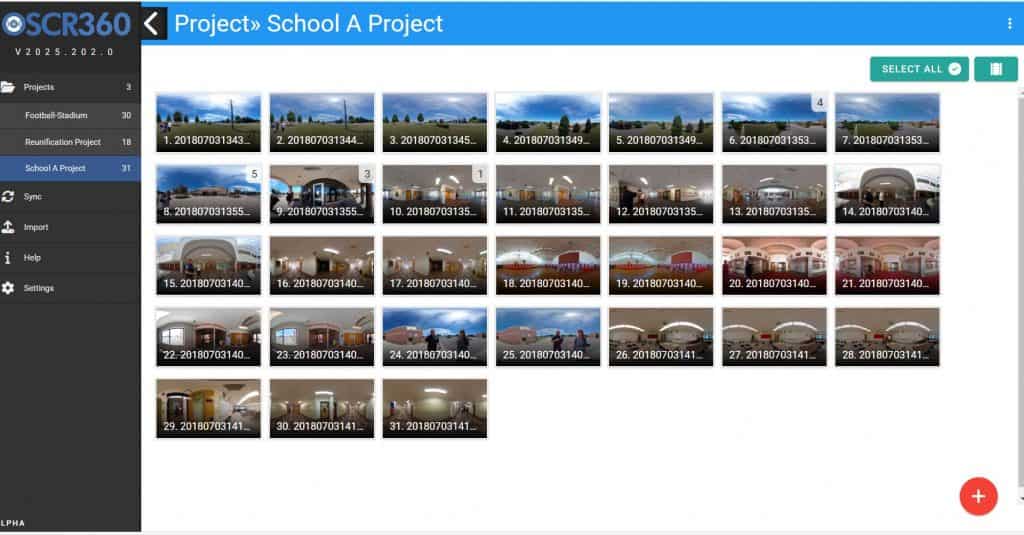
- New “Grid View” allows you to switch between the traditional filmstrip and a grid view of all 360-images.
- Within “Grid View” make batch updates to images or delete multiple images at once.
- Easily create duplicates of images and any POIs, annotations or attached files.
Additional Support
- General Project Management improvements including better validation, export instructions, hide filmstrip button and version warnings
- New Photo Counter to better see what POIs, annotations and blurs are in each 360-image.
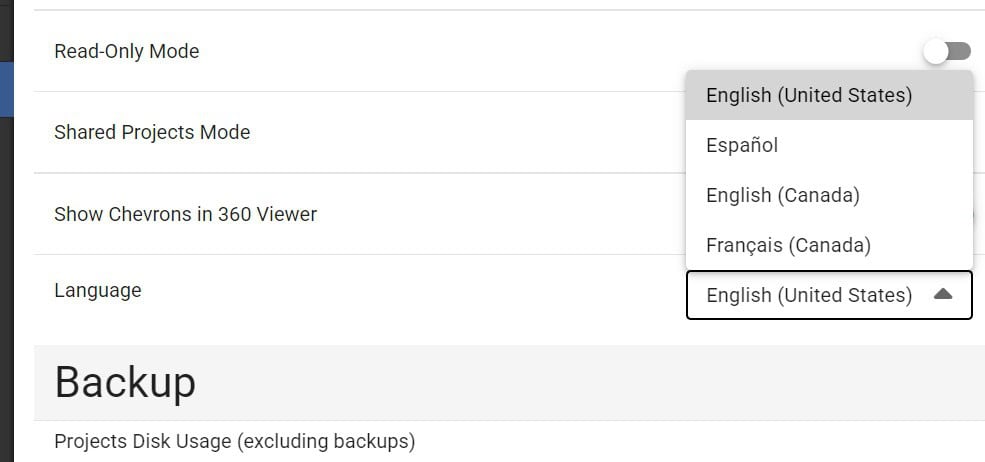
- Language support for English, Spanish, Canadian English and Canadian French.
These features were specifically added to benefit our customers and based on their feedback.
- Schools can add lines and arrows to indicate evacuation or reunification routes.
- Investigators can circle important areas within a crime scene.
- Prosecutors can redact a portion of an image with the blurring tool – protecting victim identities.
- First Responders can add and format custom text within a training presentation.
More About OSCR360
The multi-purpose OSCR360 system assists organizations with investigating and prosecuting crimes, crashes and fires; planning and preparing for school safety threats; and training first responders. The OSCR360 system includes a Capture Kit and Desktop Software, which together allow users to document, store, organize and present all of their digital evidence in a 360-degree virtual walk through.
The available OSCR360 software support plan provides access to regular software updates and round-the-clock support from L-Tron. OSCR360 was created, and continues to be updated, by L-Tron’s in-house team of software developers and product engineers. Each new and improved feature of OSCR360 reflects the combined voices of first responders, school districts, investigators and prosecutors nationwide.
About L-Tron
Established in 1975, L-Tron specializes in world-class data capture hardware and software for the public sector, healthcare, field mobility, and manufacturing industries. OSCR360 was developed in-house by L-Tron’s team of engineers, who collaborated closely with investigators, prosecutors, and jurors to develop the innovative software system that is now esteemed by public safety agencies nationwide. We’re pleasant, proactive, and passionate about providing service and product excellence. Your success is our purpose!

Questions? Interested in more information on the OSCR360 software update v.2026.202.0 or our other Law Enforcement offerings?
Get in touch with the L-Tron team.
Call 800-830-9523 or Email info@L-Tron.com